

Periodic Streak CMS Guide
Follow these steps to create and configure a new Periodic Streak in the CMS.
Log in to the CMS.
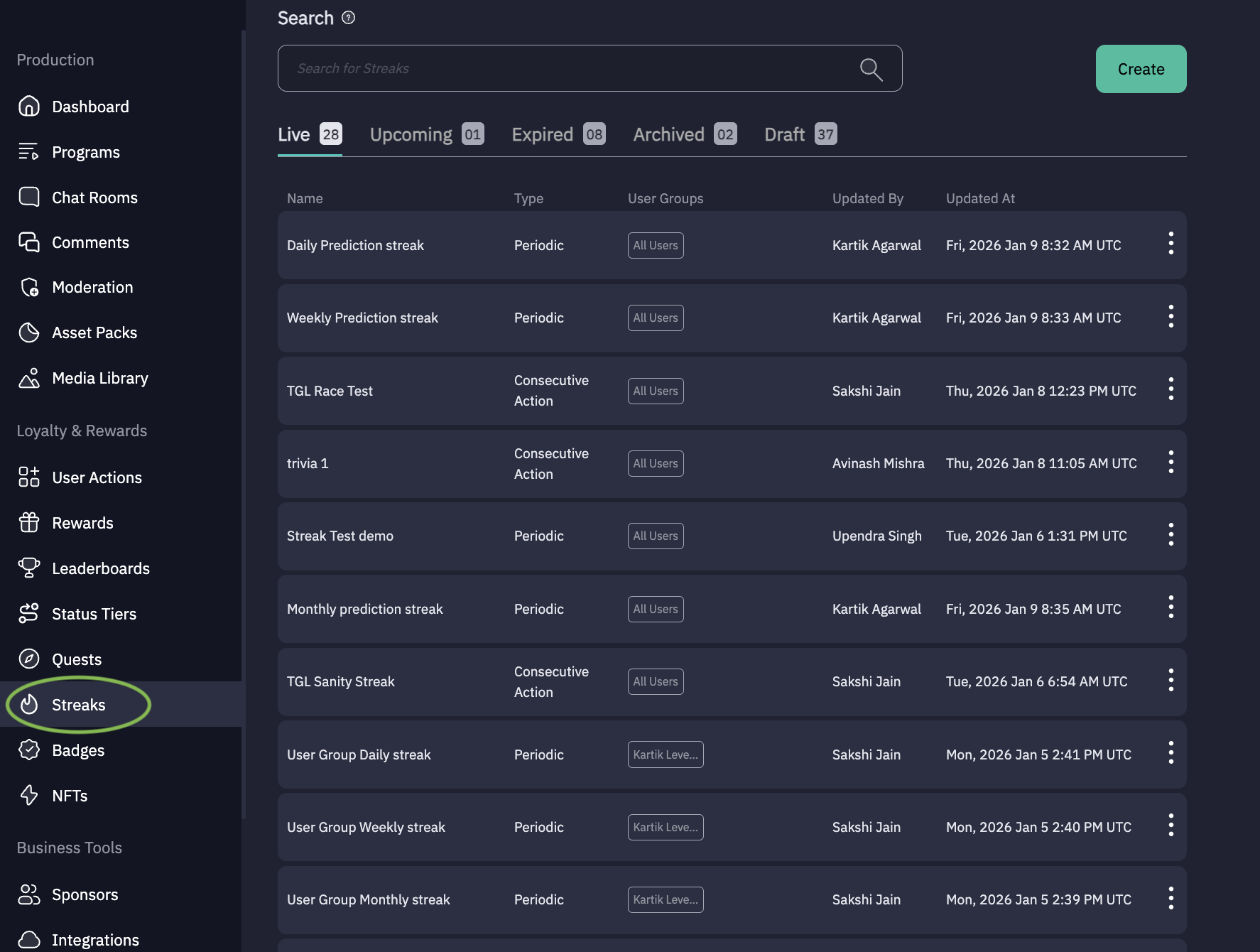
1. Navigate to Streaks.
From the left-hand menu, click Streaks.
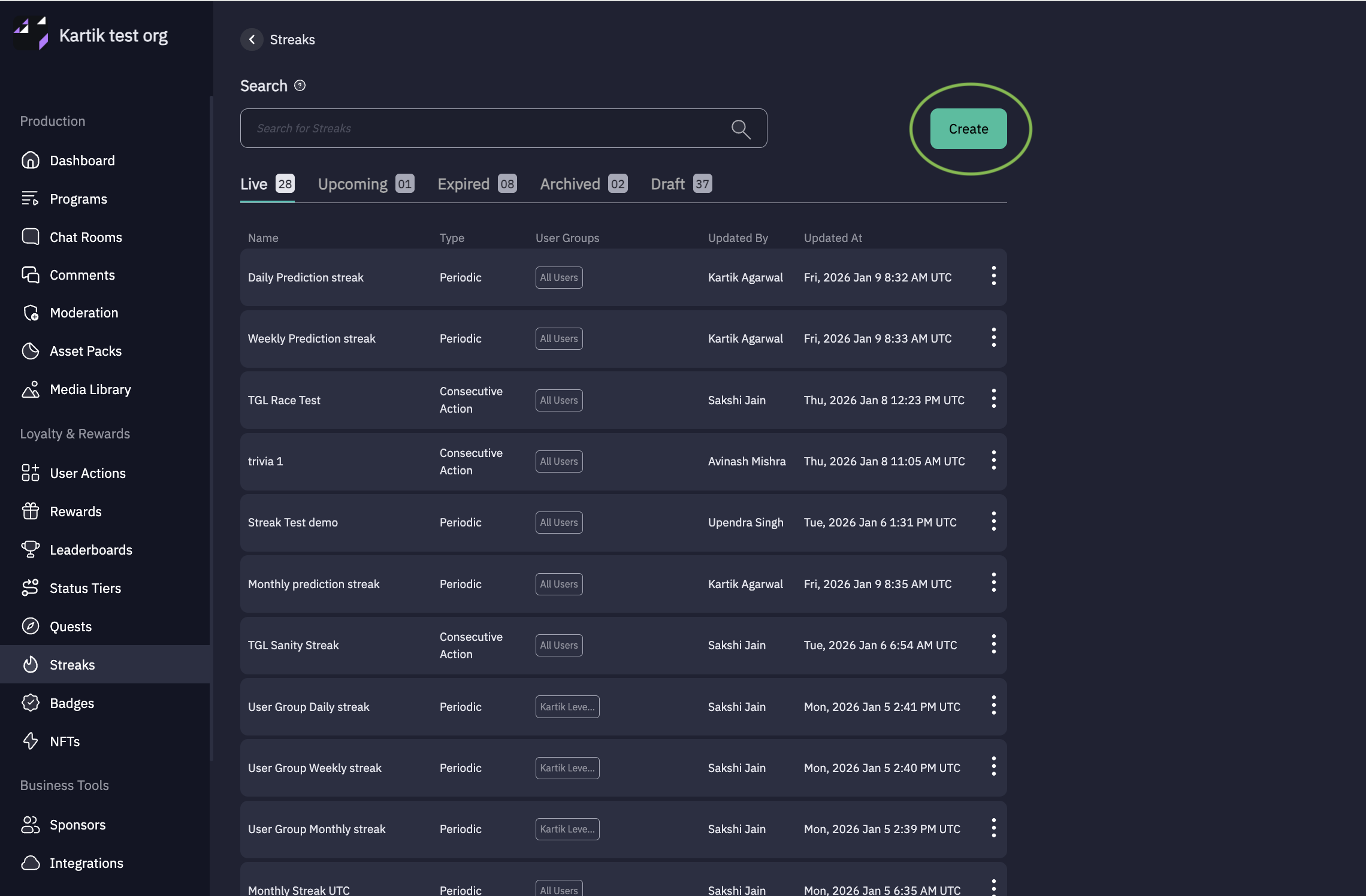
Click “Create ” to create New Streak.
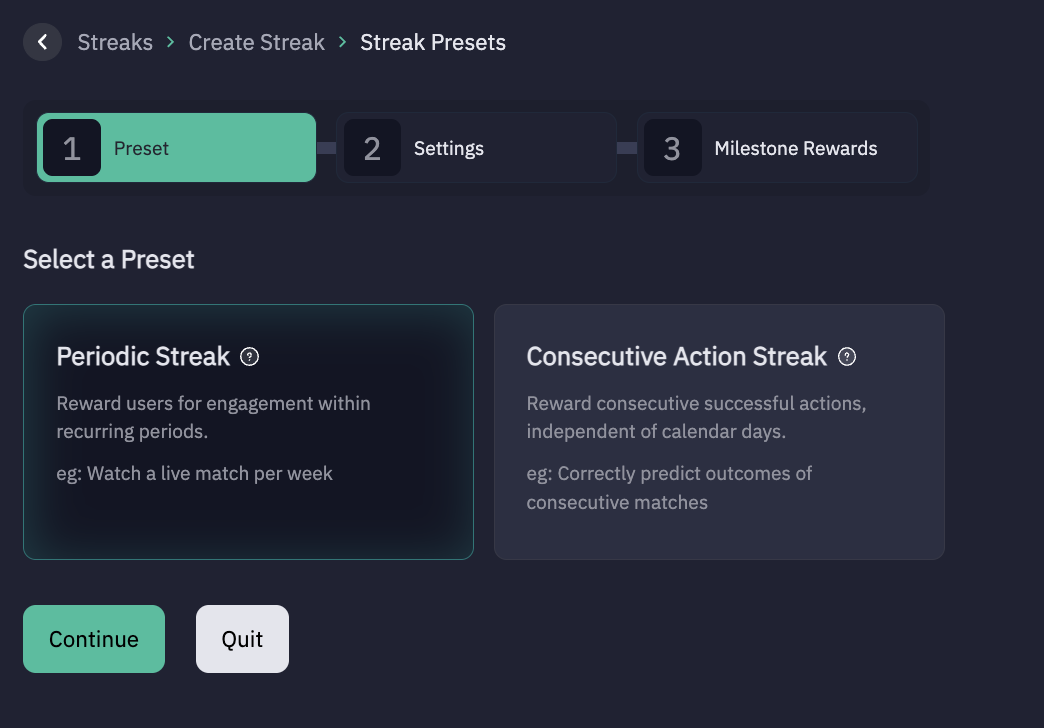
After clicking on Create below page will open up
Select Streak Type: Periodic Streak or Consecutive Action Streak
Below are the Steps for Periodic streak:
Choose Periodic Streak.
Click Continue.
2. Configure Periodic Streak Settings
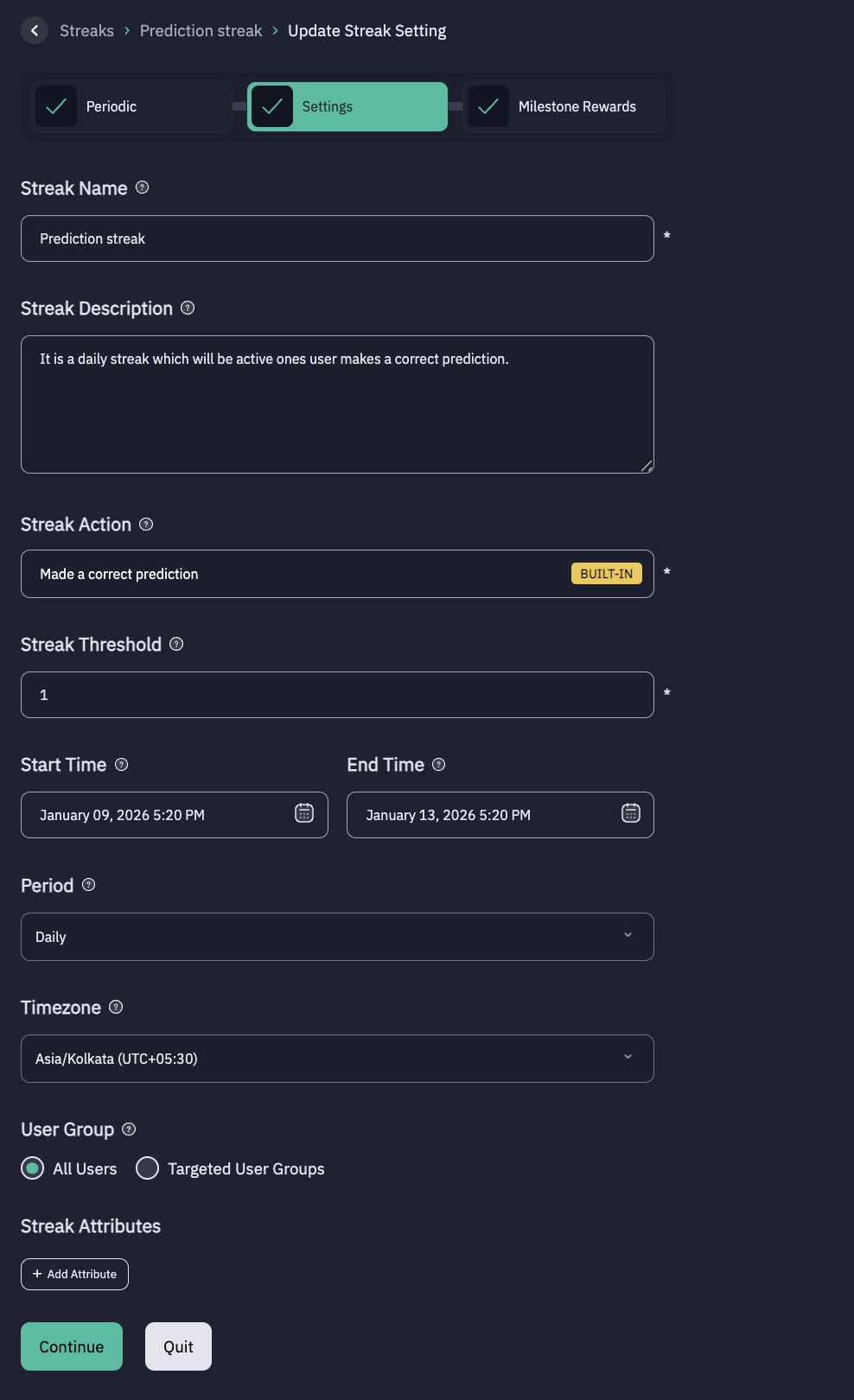
On the Periodic Streak Settings page, fill in the following details:
- Streak Name - Example: Prediction Streak
- Description (optional) - A brief summary describing the purpose of the streak.
- Streak Action - Select the user action that will trigger streak progress.
- Streak Threshold - Define the action threshold required for streak progress (defaults to 1).
- Start Time & End Time (optional) - Set the duration during which the streak will be active.
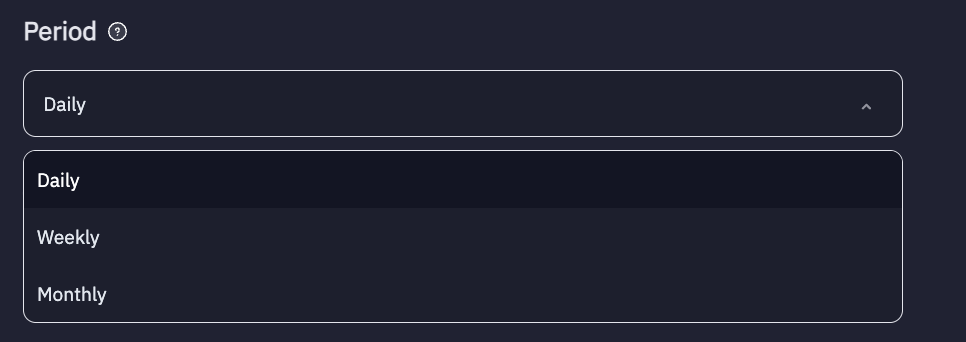
- Period - Click on dropdown and select one of the following:
(Daily, Weekly, Monthly)
- Timezone - Select the applicable timezone.
- User Group - Select All Users, or Choose a specific User Groups to target.
- Click Continue once all fields are filled.
3. Configure Milestone Rewards
For each milestone, configure the following:
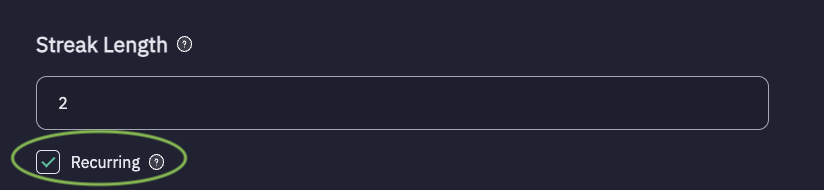
- Streak Length - The number of consecutive, uninterrupted increment of a particular streak, often counted from a minimum of three to a longer sequence.
- Recurring - Enable this checkbox if users should receive the reward at defined streak length-interval (e.g., streak length 2 → rewards at 2, 4, 6, 8, 10…)
- Reward Item - Select the reward to be granted.
- Item Amount - Enter the reward item value. Only positive integers are allowed.
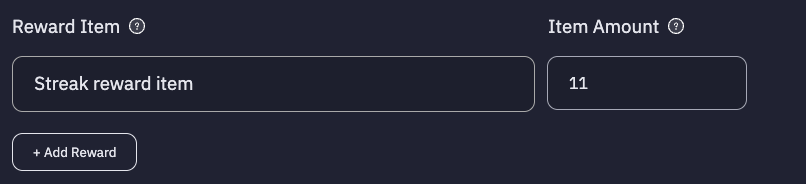
Add More Rewards - Click + Add reward to add additional rewards under the same milestone.
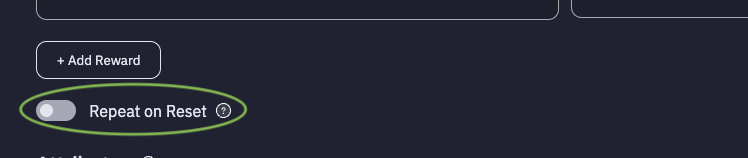
- Repeat on Reset - Toggle this option to allow or prevent users from earning reward for the same milestone again after they have achieved it once and their streak resets.
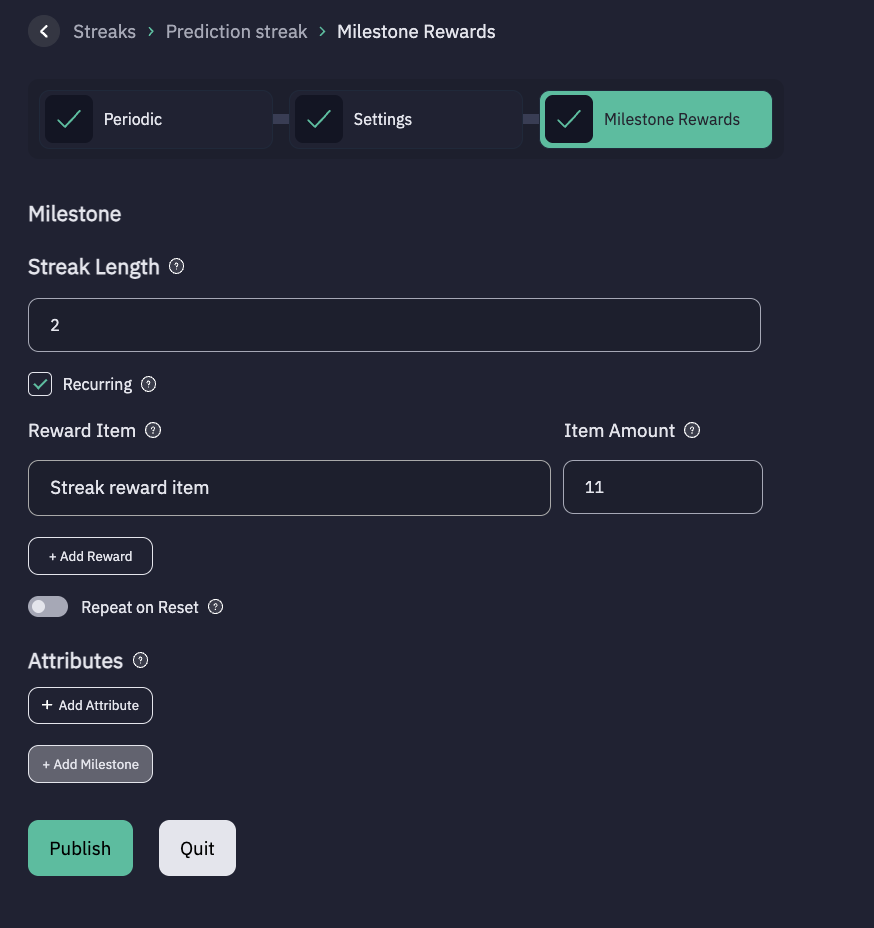
Click + Add milestone to configure multiple milestone levels.
Publish or Save as Draft:
Click Publish to make the streak live.
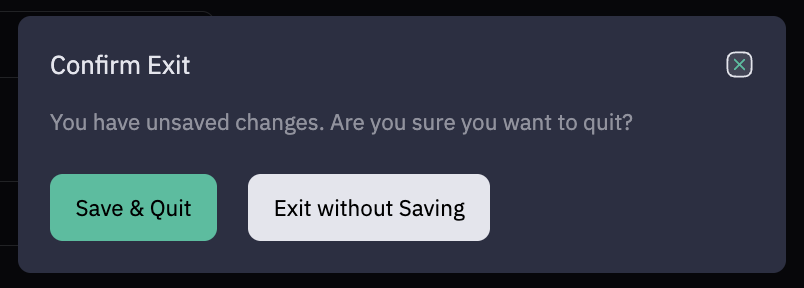
Else, click Quit and than Save & Quit to save the streak configuration as a draft.
Updated 9 months ago