

Genie features
Everything Genie can build, manage and answer — agent by agent.
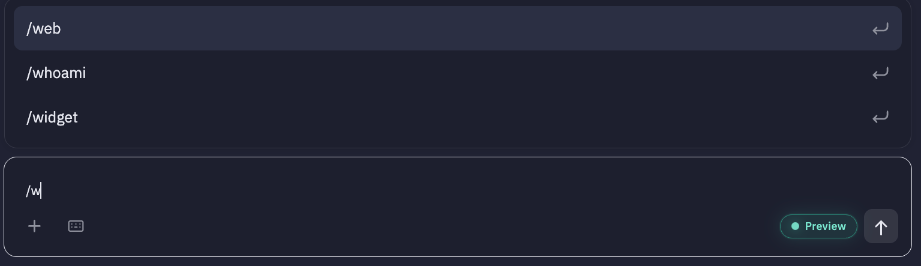
Genie is made of specialist agents, each an expert in one part of the LiveLike platform. You don't need to pick one — Genie routes every request to the right agent, and combines several when a job spans more than one area. If you want to talk to one directly, type / and choose it.
Engagement content
| Agent | What it does | Try asking |
|---|---|---|
| Widgets | Create, update, schedule and delete interactive widgets: text and image polls, quizzes, predictions and number predictions — including publishing prediction follow-ups with the correct answer. | "Create an image quiz with these 4 player photos." · "Schedule the halftime poll for 8:45pm." · "Publish the follow-up for the first-goal prediction: Home." |
| Programs | Create and manage programs — the container your widgets and chat run inside — and their settings and status. | "Create a program for Sunday's final and link it to the season leaderboard." |
| Moments (preview) | Create and organise moments: highlight collections with thumbnails, visibility and ordering. | "Make a moment called Top 5 Saves and set it to public." |
| Arcade (upcoming*) | Find, create and set up Arcade mini-games: prizes, content, schedules, status and CMS links. | "Set up a trivia game for Friday with a 500 reward points prize." |
| Trivia (preview) | Build trivia content for your fans. | "Write 10 trivia questions about last season's playoffs." |
| Assets | Manage images and media used by widgets, badges and rewards. | "Upload this logo and use it on the new badge." |
| Sponsors | Create and manage sponsors and attach them to content. | "Add Acme Energy as a sponsor on the halftime widgets." |
Gamification and rewards
| Agent | What it does | Try asking |
|---|---|---|
| Quests | Build quests end to end: tasks, task actions, badges and rewards. | "Create a 3-step onboarding quest: vote in a poll, join chat, answer a quiz. Reward 100 points." |
| Quest A/B Tests | Set up and manage A/B tests across quest variants. | "A/B test the onboarding quest with a 50 vs 100 point reward." |
| Badges | Create, update and delete badges. | "Make a Super Fan badge with this image." |
| Rewards | Manage reward items, reward tables and entries, and reward actions; look up reward transactions. | "Award 10 points for every poll vote." · "Show reward transactions from last night." |
| Leaderboards | Create and manage leaderboards, link them to programs, and read entries and standings. | "Who's in the top 10 on the season leaderboard?" |
| Streaks (preview) | Manage streaks — thresholds, start and stop dates. | "Start a 5-day voting streak beginning Monday." |
Community and moderation
| Agent | What it does | Try asking |
|---|---|---|
| Chat Rooms | Create and manage chat rooms and their membership. | "Create a chat room for the watch party and add 50 random eligible fans." |
| Comment Boards | Create and manage comment boards. | "Set up a comment board under the match recap article." |
| Moderation | Moderate chat rooms and comments, classify content and manage user bans. | "Find abusive messages in the derby chat room from the last hour." · "Ban user xyz from chat." |
| Profile Groups | Manage profile groups and memberships, look up profiles, and pick eligible random profiles for chat-room membership. | "Create a VIP group with these 20 profiles." |
Insight and knowledge
| Agent | What it does | Try asking |
|---|---|---|
| LiveLike Analytics (preview) | Answer questions about your engagement data. It finds the right tables, dashboards and saved reports, and runs the query for you. | "What was poll participation per program last month?" · "Compare quiz accuracy home vs away games." |
| LiveLike Knowledge Base | Answer "how does LiveLike work" questions from platform documentation. | "What's the difference between a quiz and a prediction?" |
| Web Search | Look up current information on the web — fixtures, results, player news — to feed into your content. | "Find tonight's starting line-ups and draft a prediction for first scorer." |
| Who Am I | Tell you which user and application Genie is acting as. | "Who am I?" |
Working with Genie itself
| Agent | What it does | Try asking |
|---|---|---|
| Files | Find, inspect, copy, rename and delete the files you've uploaded. | "List my files from this week." |
| Tasks | Create, update, pause, resume and run scheduled tasks. → Tasks | "Every day at 6pm, post a recap of today's top widgets to Slack." |
| Skills | Draft, find and manage skills from inside a conversation. → Skills | "Turn the naming rules I just described into a skill." |
| Connectors | Each connector you add becomes its own agent Genie can route to. → Connectors | "Post this summary to #matchday in Slack." |
Preview and upcoming agentsAgents marked (preview) are available but not yet part of default routing — turn them on for yourself in Preview Settings.
* Upcoming agents are coming soon and aren't available yet.
Multi-agent requests
Genie can chain agents in one request. For example:
"Create a program for Saturday's derby, add a first-goal prediction and a halftime poll, link it to the season leaderboard, and post the program link to #producers in Slack."
Genie plans this across Programs, Widgets, Leaderboards and the Slack connector, shows you the plan, and runs independent steps together once you confirm.
Use Genie from other AI tools
Genie can also be connected as an MCP server to AI clients that support remote MCP. When you connect a client, Genie asks you to pick a LiveLike application (or paste a producer token), and that client can then use Genie's tools on that application, as you.
Updated about 8 hours ago